
Assistant
One chat surface, two jobs. Ask how something in the panel works and it answers. Describe an application and it installs it - by proposing a plan you read and approve first. The Assistant is part of the Max plan.
Linking it
The Assistant answers from a service outside this installation, so the installation is linked to it once, with a token issued for this installation. Until then the page says so and sends you to System components, where the Assistant link card holds the link, the service it is linked to, and the last time they spoke. Unlinking stops the Assistant working here and changes nothing you deployed.
Asking a question
Type it. The answer comes back in the thread, with links into the pages it is about. The conversation is filed in the left column with a state - Open, Answered, Deployed, Objected or Discarded - so you can come back to one.
Installing by describing
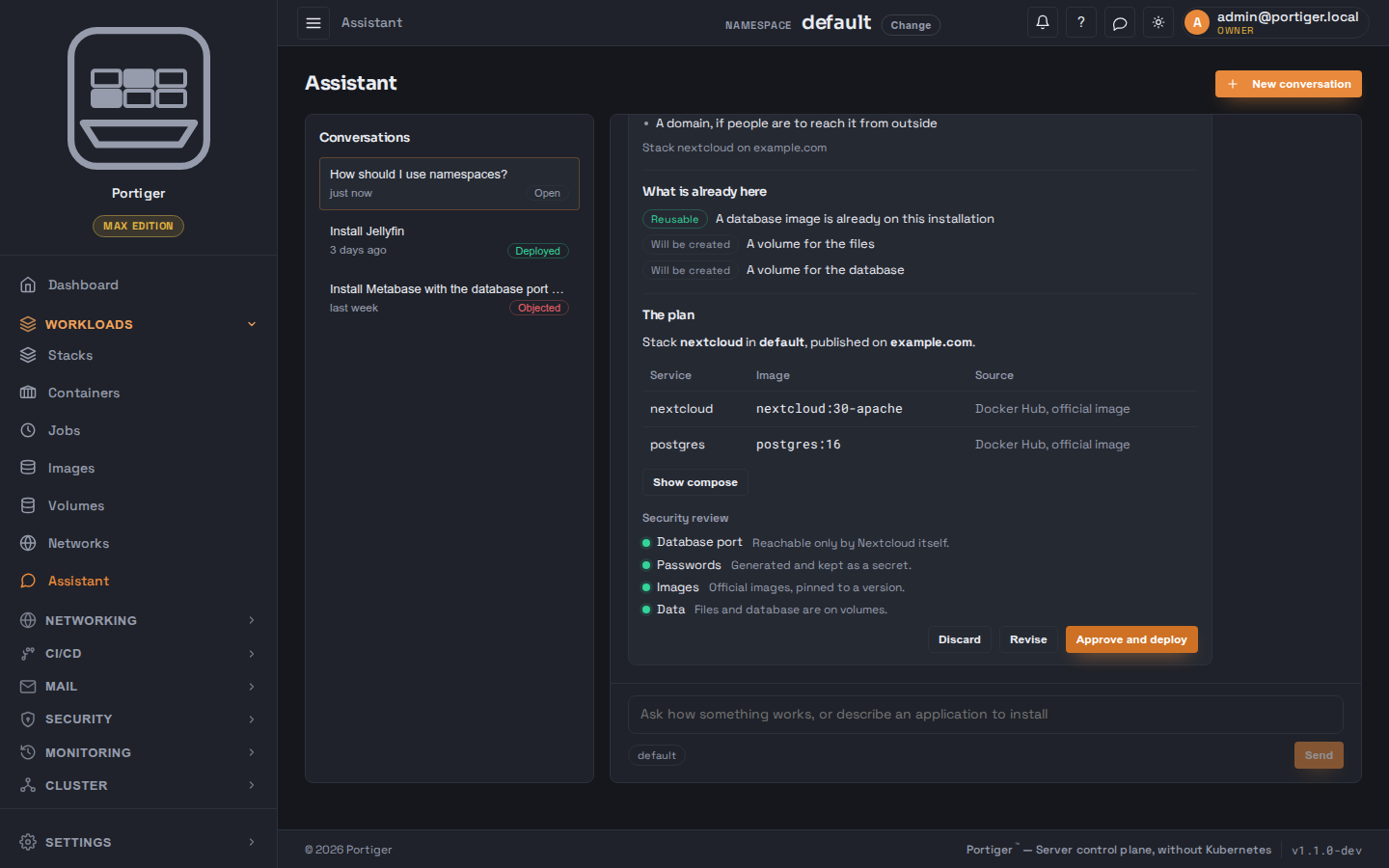
The deploy flow has four stages, and you are in it at two of them.
Analyze
It names the application and says what it needs - a database, somewhere to keep files, a domain. Then it stops and asks you for two things: the stack name, which it suggests, and which of your domains to publish it on, or none for now. From then on it is locked to that stack name.
Discover
What is already on this installation and can be reused, and what will have to be created - an image you already have, a volume that does not exist yet, a password that will be generated into a secret. Each line says which of the two it is.
Plan
The stack, its namespace and its domain in one sentence, then the services and images it would create, the full Compose document if you want to read it, and a short security review - whether the database port is reachable, whether passwords are generated, whether images are official and pinned, where data lives. You can Discard, Revise with a note saying what should change, or Approve and deploy.
Deploy
The steps as they happen: pulling images, creating the stack, waiting for health, attaching the domain. A step that fails says why, and the fix it applied before trying again. At the end there is a link to the stack.