
Secrets
A secret is a value kept encrypted and injected when a stack deploys. It is never written into a repository and never appears in a Compose file - what goes there is the name. A secret is either global, readable by every stack in its namespace, or it belongs to one stack.
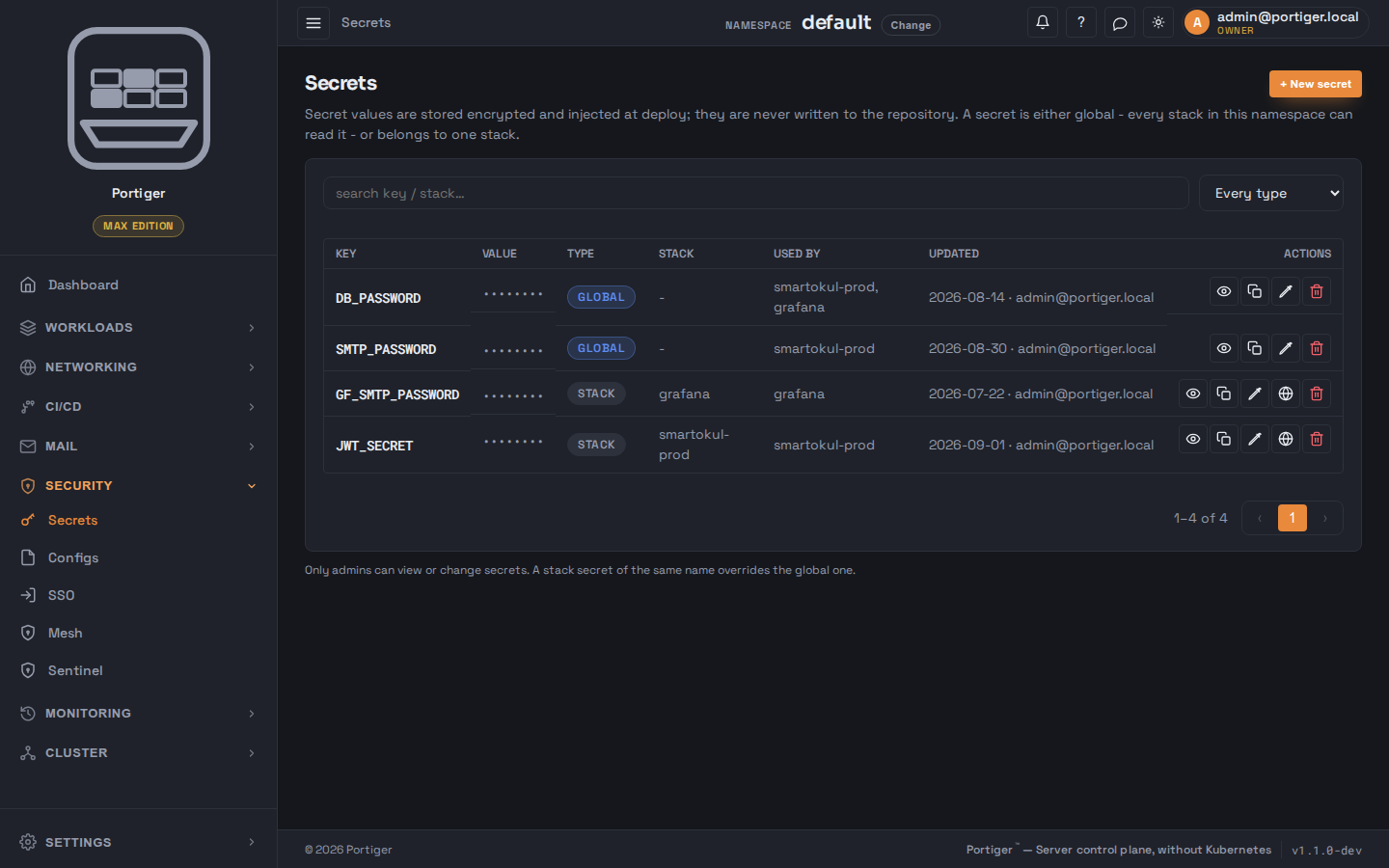
The two scopes
A stack secret of the same name overrides the global one, and the list says so on the row rather than leaving you to work out which value won. Scope and owning stack are set when the secret is created and are fixed afterwards; a stack secret can be promoted with Make global, which asks first and names the namespace it is about to become visible in.
Creating one
A key in the shape of an environment variable - letters, digits and underscores, not starting with a digit - and a value. The value field can generate a 24-character value for you, and can be revealed while you type it.
In a stack's form, an environment variable chooses its source: a plain Value, an existing Global secret picked from a list, or a Stack secret typed there and kept in the vault. That is the usual way a secret comes into being.
Reading one back
The value is masked in the list. The eye reveals it, and the copy button puts it on the clipboard without showing it. Both go to the server to decrypt, and both are recorded in the history - see Audit and history. Only administrators can view or change secrets at all.
Secrets and configs
A setting that is not worth hiding - a log level, a feature flag, a hostname - belongs in Configs, next door. Configs are stored in the clear on purpose, can be mounted into the container as a file as well as set as an environment variable, and when one changes Portiger asks whether to redeploy the stacks that read it.