
Domains, DNS and web
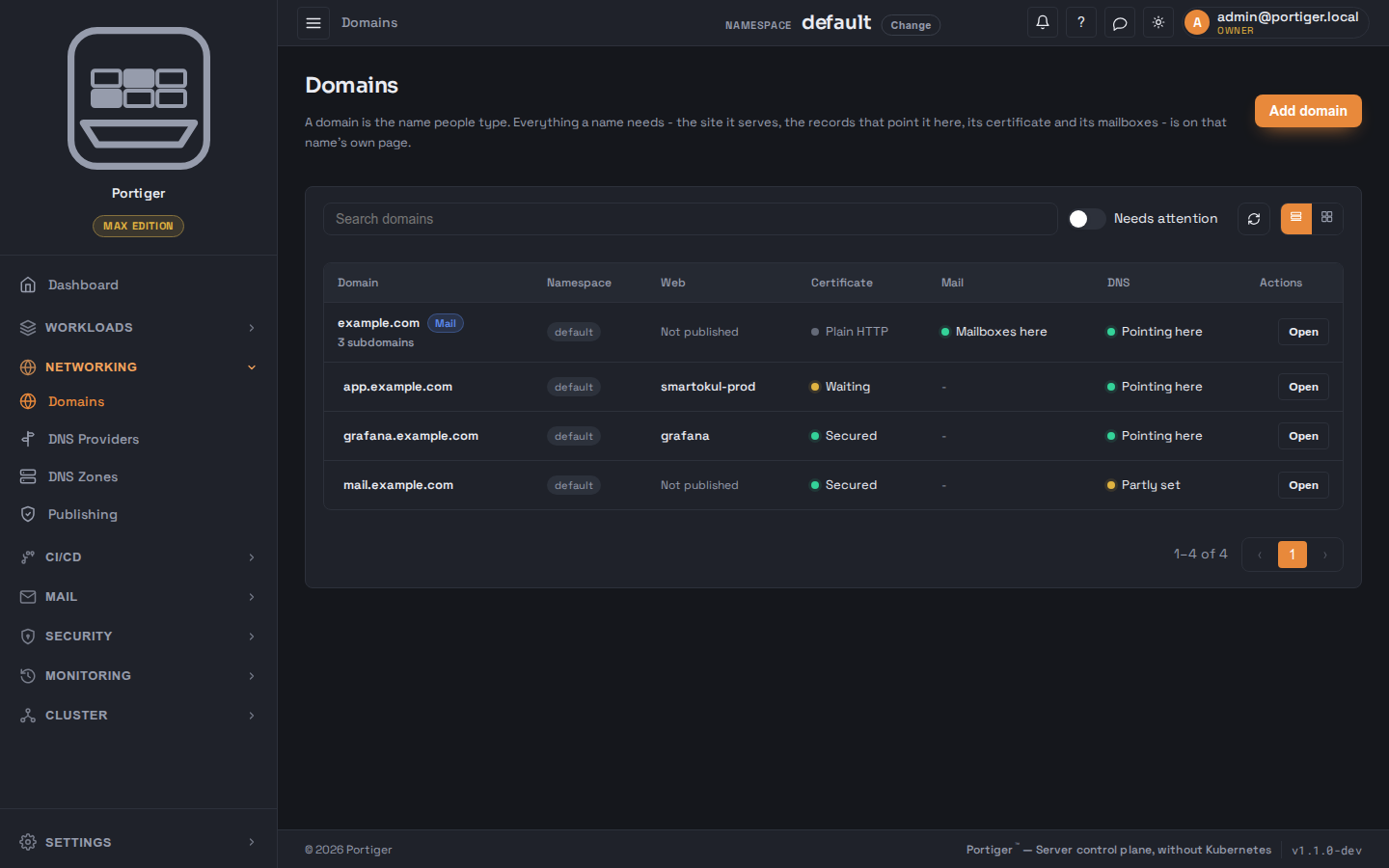
A domain is the name people type. Everything a name needs - the site it serves, the records that point it here, its certificate and its mailboxes - is on that name's own page. There is no separate certificate menu and no separate proxy configuration to keep in step with it.
Adding a name
Add domain takes either a domain - just the host name, no scheme, no port, no path - or a subdomain under one you already have. It asks which namespace it belongs to, when there is more than one, and offers Serve over HTTPS, which is on and right for almost everything: the certificate is requested and renewed for you at no cost. Turn it off only for a name already behind something else terminating TLS.
Adding a name reserves it; nothing is served on it until you publish something.
Web: publishing a stack on it
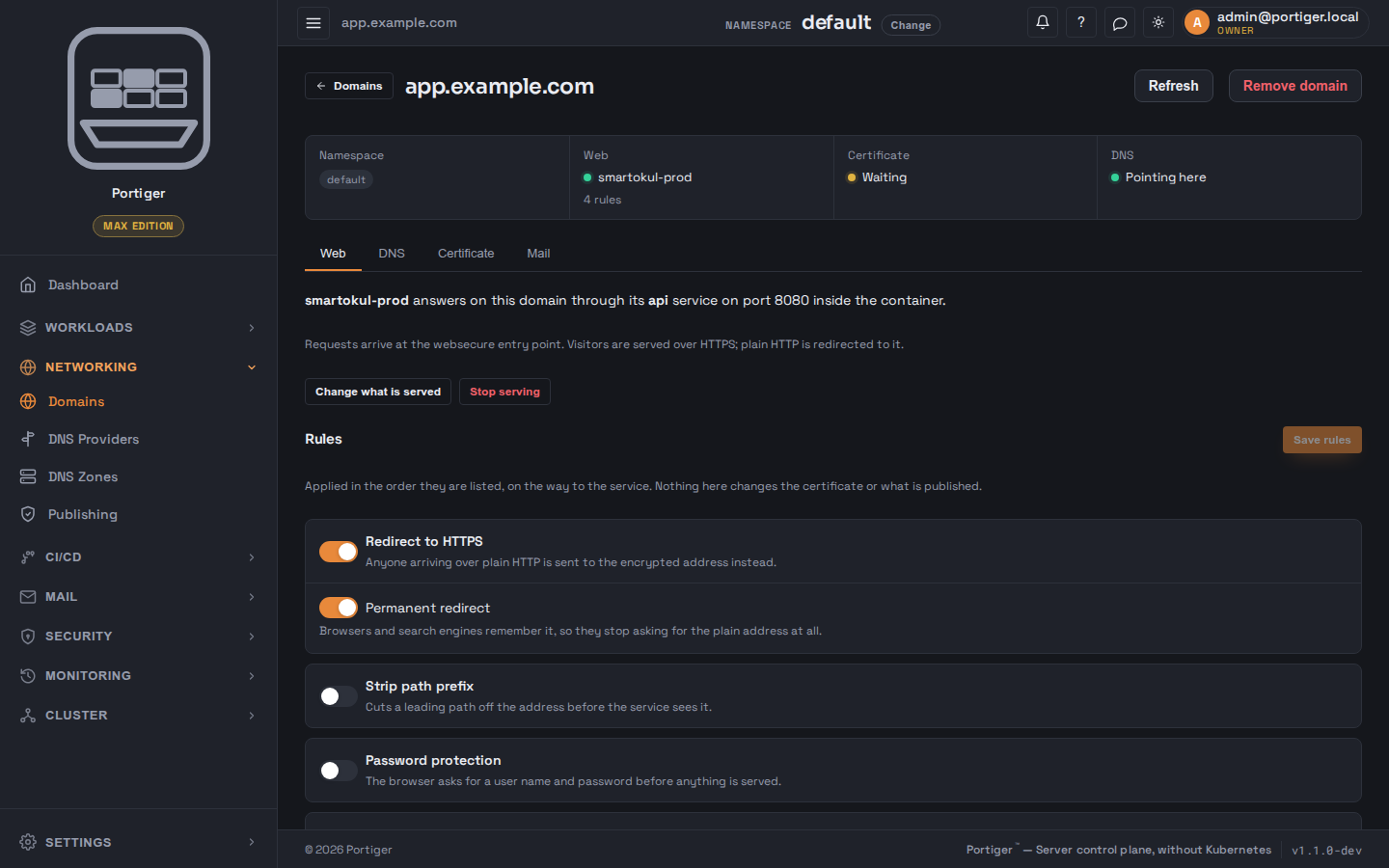
Publish a stack asks three things: which service answers here, the port that service listens on inside its own container - not a port published on the host - and whether to serve over HTTPS. With HTTPS on it also asks which kind of certificate:
The certificate is then requested on its own; it usually arrives within a minute of the name resolving to this server. There is no button to press.
Rules
Eight rules can be applied on the way to the service, in the order listed: redirect to HTTPS, strip a path prefix, password protection, a rate limit, an IP allow list, security headers, CORS and compression. Each is a switch with one sentence saying what it does, and its own fields underneath. Nothing here changes the certificate or what is published.
A stack whose routing lives in its own repository is read-only here: change the labels in the repository and sync the stack.
Defaults for new publications
The Publishing page carries Site defaults - redirect to HTTPS, security headers, compression and an optional rate limit - applied to every new publication as its starting rules. Domains already published keep what they have. That page also lists what is served where, and tells you when publishing itself is stopped or misconfigured, which is the one failure that takes every site down at once.
DNS
The DNS tab lists the records this name needs, each with a status, what it is for, and what happens without it. It says in one sentence whether the name resolves to this server, resolves somewhere else, or could not be checked - and when it does not resolve here, that no certificate can be issued for it either.
With a provider connected, Write these records creates the ones that are missing or wrong. Without one they are shown for you to create in your own DNS panel, which works perfectly well; a provider removes the chore, not a capability.
DNS providers
One credential is entered once and does three jobs: wildcard certificates, the zone editor, and writing the records a mail domain needs. Cloudflare, Hetzner DNS, DigitalOcean and AWS Route 53 are offered; each names the exact permission it needs and where in that provider's console to create the token. The token is stored encrypted and never shown again.
Only Cloudflare can be browsed from the panel, so the DNS Zones editor stays empty for the others - everything else still works. Records Portiger manages itself are locked in that editor, because changing them there would be undone the next time it publishes. Editing zones from the panel is part of Personal and above.
Certificate
The Certificate tab says who issued it, when it expires, and how control of the name was proved - a record in your DNS zone, which is what makes a wildcard possible, or a handshake on this server's own HTTPS port, which needs nothing written in DNS beyond the name pointing here. Renewal is automatic, about a month before expiry, and there is nothing to schedule. On an apex a switch turns on a wildcard for everything underneath.
Mail is decided on the apex, not on a name underneath it, because the record that says where mail goes belongs to the registrable name. See Mail.