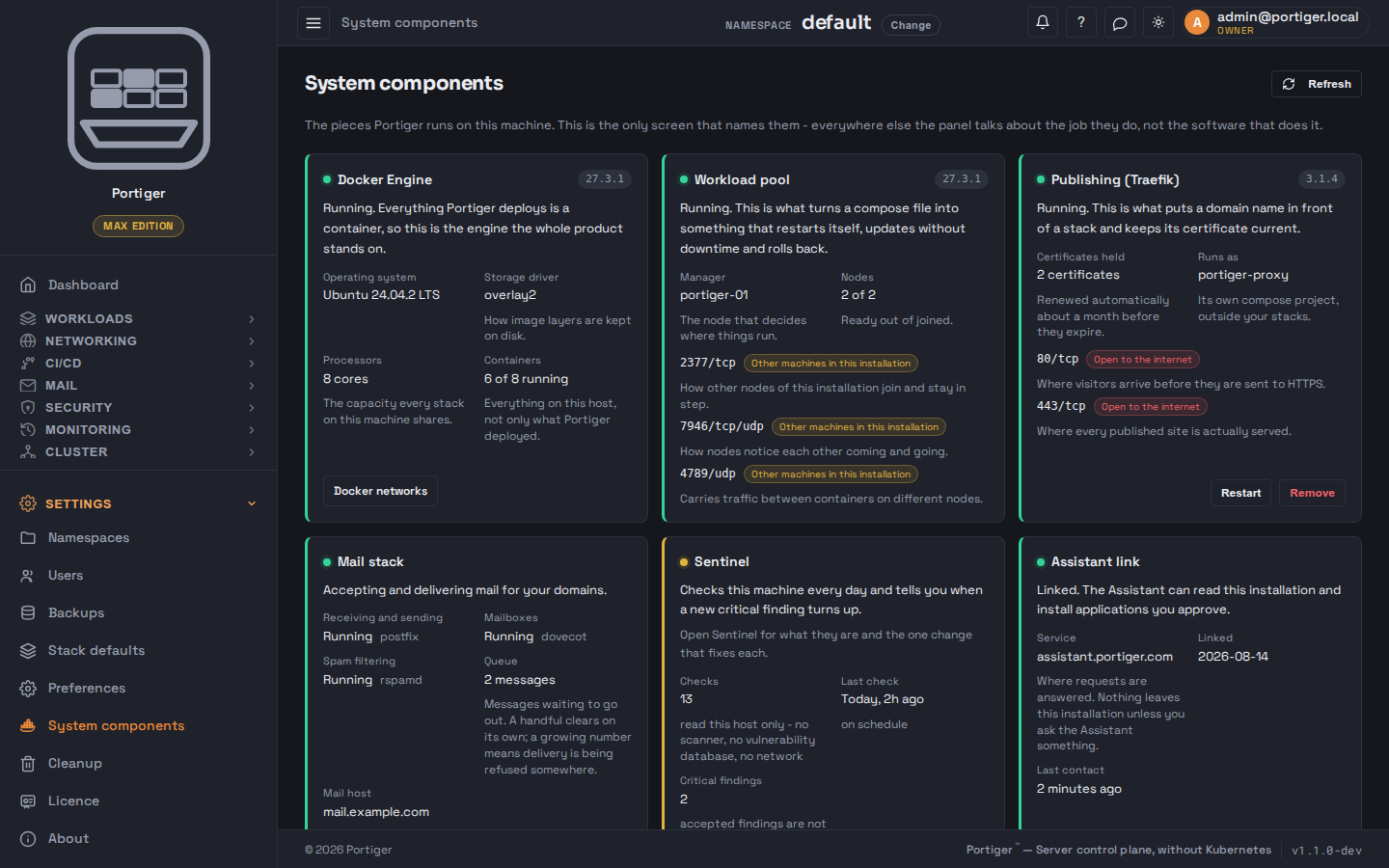
This is the only screen that names the pieces Portiger runs on. Everywhere
else the panel talks about the job a thing does, not the software that does
it. When something is not working, this is where the reason is.
Each card says what the part is for, whether it is up, and which ports it holds.
Docker Engine
Everything Portiger deploys is a container, so this is the engine the whole product stands on. Shows the operating system, storage driver, processors and container count.
Workload pool
What turns a Compose file into something that restarts itself, updates without downtime and rolls back. Names the manager and the node count, and holds 2377/tcp for joining, 7946/tcp and udp for noticing each other, and 4789/udp for traffic between containers on different nodes.
Publishing
What puts a domain name in front of a stack and keeps its certificate current. Holds 80 and 443, both open to the internet, and says how many certificates it is holding. Can be restarted or removed from here.
Mail stack
Accepting and delivering mail for your domains. One row per job - receiving and sending, mailboxes, spam filtering - each naming the daemon behind it, plus the queue length and the mail host. Holds 25, 465 and 993.
Sentinel
The host security checks: how many there are, when they last ran, how many critical findings are open. See Sentinel.
Assistant link
Whether this installation is linked to the Assistant service, which service, and when they last spoke. Link and unlink live here. See Assistant.
Privileged helper
Portiger itself runs without root and hands the few jobs that genuinely need it to this separate systemd unit, started by systemd and never by Portiger's own process.
Ports, in plain terms
Each port on this page is labelled with who can reach it:
Open to the internet, Other machines in this
installation, or this machine only. That is the honest answer to
"what did the installer open", and it matches what the firewall step actually
did.
When something else already holds the web ports
If another reverse proxy is already answering on this machine's web ports,
Portiger does not install its own and says so here - until it is resolved,
publishing a domain will not work. Two ways out are offered:
Adopt it as it is, which leaves it exactly as it is and
drives it from here, and Import and rebuild it, which
rebuilds the same setup under Portiger's control and is the option that also
gets you automatic certificates.