
Health and readiness
Two probes, two different questions. Health asks "is the app still alive" and, when the answer is no often enough, does something about it. Readiness asks "is it ready for visitors" and decides only one thing: whether traffic is sent to that replica. A failed readiness never restarts anything.
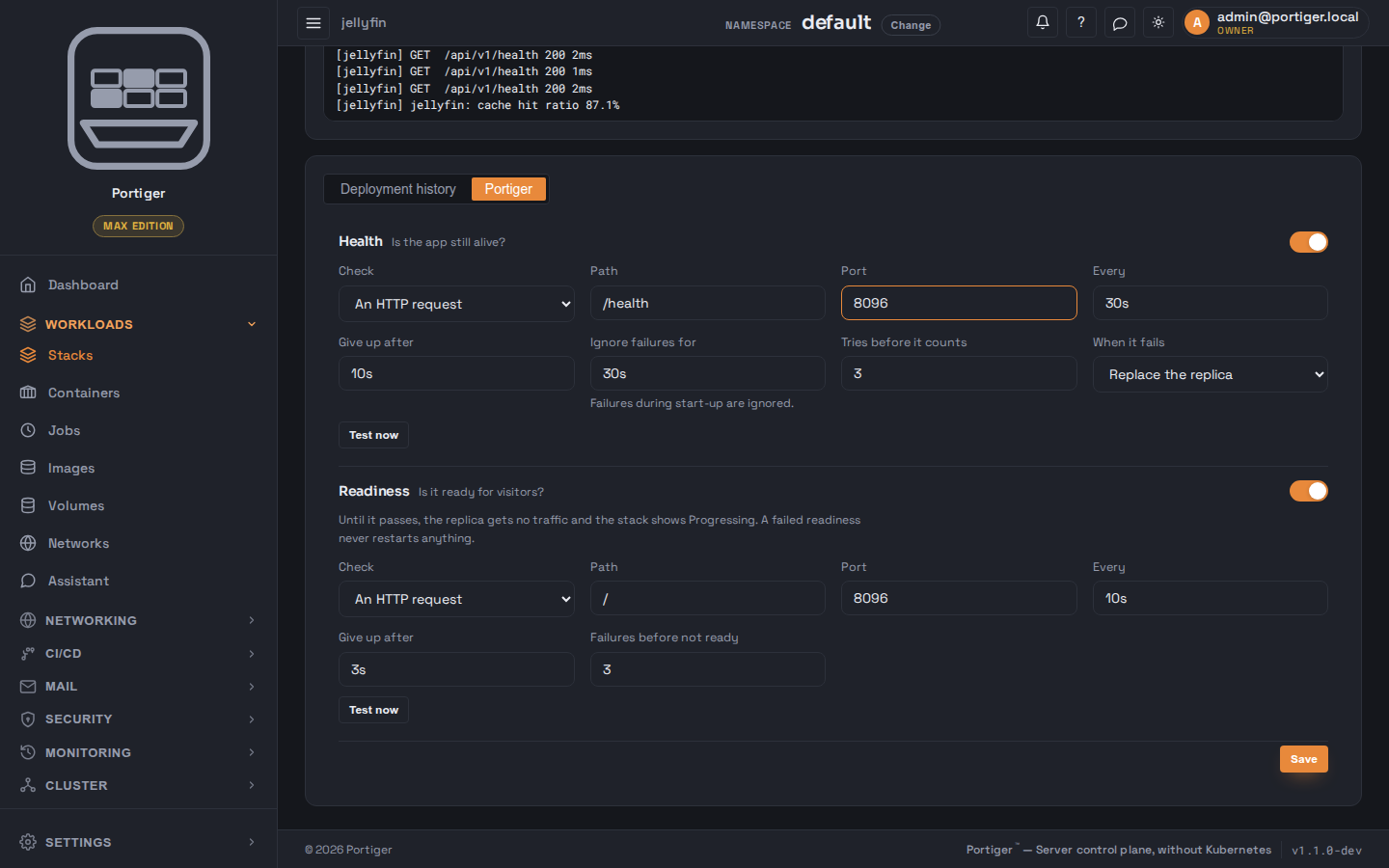
Where they are set
On a stack's Portiger tab - in the create form before it exists, and on the detail page afterwards, where each probe also has a Test now button that runs it against the real replica. In the create form the test is not offered yet; it says so: save and deploy first, then test.
Health
/health by default.Readiness
Off means a replica is ready as soon as it runs. On means: until the probe passes, that replica is given no traffic and the stack shows Progressing rather than Healthy. Its fields are the same idea with a shorter rhythm - check, path, port, every, give up after, and how many failures make it not ready.
What is checked, and from where
Probes are run by the node the replica is on, not from the panel: a container network is not reachable from outside it. A command check is run inside the container. The stack list turns the result into the squares and the Healthy / Progressing / Unhealthy badge you see on Stacks.
Ordering start-up
When one thing has to happen before the application starts - a migration, a seed - it belongs in an init step rather than in a probe. Init steps run in order, each as a one-off container; if one exits with an error the deploy stops before the application starts, and its output is kept.